Part 1: Batch YouTube Downloaders Compared
A batch YouTube downloader allows you to download YouTube videos in bulk, including playlists, channels, MP3 audio, and 4K MP4 videos, all at once. In May 2026, I personally tested 6 desktop software, 3 online downloaders, and 1 command-line tool. To ensure the comparison is as consistent as possible, I used the same types of YouTube links to test each tool—including individual videos, playlists, channels, and multiple separate URLs.
During Testing, I Mainly Checked:
- Batch capability: Whether multiple videos can be queued and downloaded automatically.
- Playlist & channel support: Whether the entire playlist or channel can be parsed correctly.
- Output options: Support for MP4, MP3, subtitles, audio tracks, and available resolutions such as 1080P, 4K, and 8K.
- Free limitations: Daily limits, batch-size restrictions, registration requirements, or paid features.
- Ease of use: Installation, parsing speed, and download workflow.
The table below will help you quickly find the most suitable option.
| YouTube Downloader |
True Batch Download |
Free Limit |
Max Quality |
Best For |
| Any Video Converter |
✔️ |
No daily limit |
8K / HDR |
Full workflow |
| ypbackup |
⚠️ Cloud backup only |
3 GB free |
8K / HDR |
Cloud archiving |
| VidPickr |
✔️ |
25 videos per batch |
8K |
Browser downloads |
| YT Multi Downloader |
❌ |
One at a time |
Up to 1080p |
Simple batch tasks |
| Vidicable |
✔️ |
Unlimited YouTube downloads |
Up to 8K |
Streaming content |
| 4K Video Downloader |
✔️ |
10 downloads per day |
Up to 8K |
Auto-download |
| 3D YouTube Downloader |
❌ |
Download one video at a time |
Up to 8K |
Advanced format control |
| SYC PRO |
✔️ |
24-hour free trial |
Up to 4K |
Apple users |
| Winxvideo AI |
✔️ |
Free trial downloads up to 1080p |
Up to 8K (paid) |
AI requirements |
| yt-dlp |
✔️ |
No download-count limit |
Source quality |
Advanced users |
 10 Best Video Grabbers Tested in 2026 >>
Part 2: Top 10 Batch YouTube Downloaders for Playlists, MP3, and 4K Videos
Video-Related | Top 10 Batch Video Management Software (2026)
All-in-one toolkits Batch download No daily limit Up to 8K/HDR
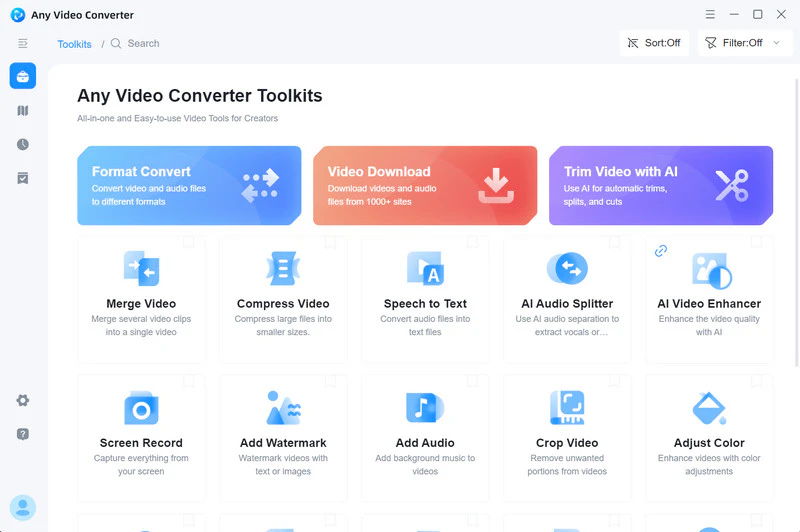
Any Video Converter is a desktop batch YouTube downloader and bulk YouTube to MP3 converter that supports downloading playlists, channels, podcasts, subtitles, and 4K/8K/HDR videos. In the program, there are two ways to download media files. Method 1: Copy video URLs from the YouTube website and paste them into Any Video Converter to begin downloading as MP4 or MP3 files. Method 2: Directly open the built-in YouTube browser within the program to add videos for download.
Once the download is complete, the video can be converted, edited, or compressed directly within Any Video Converter without needing to import it into other software.
✔️ Batch download from YouTube playlists, channels, and podcasts
✔️ Automatically batch rename downloaded files
✔️ Automatic video update tracking and downloading
✔️ Selectively choose which videos in the playlists/channels to download or skip
✔️ Unlimited playlist downloads from over 1,000 websites
✔️ Download videos in 1080P, 4K, 8K, and HDR quality
|
|
❌ Some advanced editing features require an upgrade
❌ Some restricted videos may require sign-in verification
|
|
My Real Test:
- Test: A YouTube playlist containing multiple videos + a YouTube channel
- Parsing: Successfully parsed the playlist and displayed all available videos for selection
- Batch behavior: Multiple videos could be selected or skipped and added to the download queue at once
- Main limitation: No download-count or video-length limit was found
- Result: A practical all-in-one option for true batch downloading
Any Video Converter is better suited to users who want to manage an entire YouTube playlist in one workflow, especially when they need to select specific videos, preserve playlist order, organize filenames, and continue converting or editing files after downloading.
Cloud-based Playlist/Channel support 3 GB free storage Up to 8K/HDR
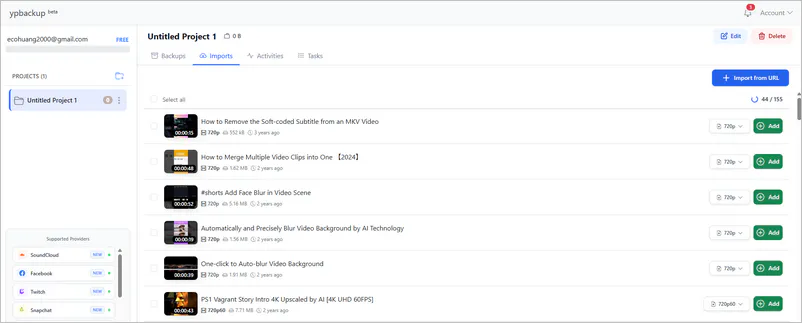
Strictly speaking, ypbackup is not an online tool but rather a cloud-based batch backup management utility. However, I unexpectedly discovered that it also allows you to import YouTube playlist and channel links to create batch download and backup tasks for free. Currently supported websites include YouTube, SoundCloud, Facebook, Twitch, Snapchat, Instagram, Dailymotion, and TikTok.
✔️ Batch save YouTube content to the cloud
✔️ MKV video and MP3 audio downloads
✔️ Support long-term batch backup tasks
|
|
❌ No MP4 format
❌ No advanced video editing tools
❌ 3 GB of storage space (it will be used up quickly if you download a 4K playlist)
|
|
My Real Test:
- Test: A YouTube playlist with 155 videos
- Parsing: Successfully detected all 155 videos
- Batch behavior: Videos were added to the cloud backup list, but local downloads still needed to be handled individually
- Main limitation: Free storage is limited to 3 GB
- Result: Better for cloud archiving than direct bulk downloading to a local folder
ypbackup is a better choice for creators who want to archive playlists or channels in the cloud, but it is less convenient for users who want to download a large playlist directly to a local folder.
Browser-based 25 videos per batch free Up to 8K
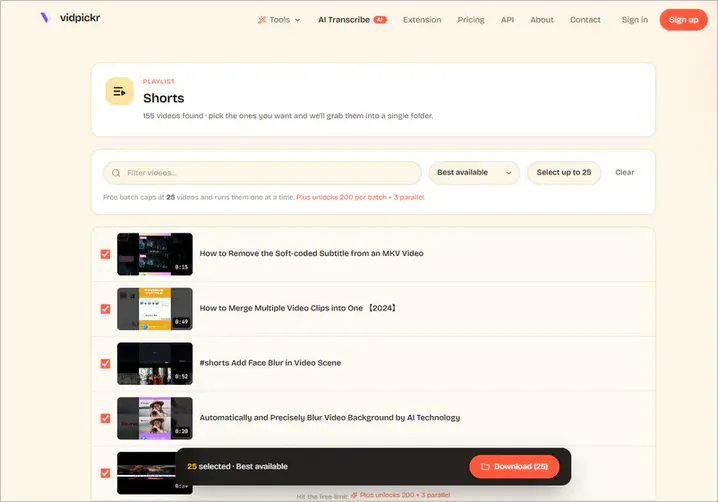
If you want to download multiple YouTube videos at once without installing software, VidPickr is a browser-based batch YouTube downloader available in 2026. Its primary feature is to simultaneously fetch the entire contents of a YouTube playlist or channel, saving them to a local folder as MP4 video or MP3/M4A audio files. It supports YouTube links exclusively.
✔️ No account registration required
✔️ Support parallel video downloads (Plus plan)
✔️ YouTube subtitle downloads
|
|
❌ Limited batch download links
❌ Unable to modify video title
|
|
My Real Test:
- Test: A YouTube playlist with 155 videos (the same in ypbackup)
- Parsing: Successfully parsed the test YouTube playlist and displayed all available videos
- Batch behavior: 25 videos could be selected and downloaded together in one batch
- Main limitation: The free version allows up to 25 videos per batch
It's a convenient browser-based option for small YouTube playlists, especially for users who do not want to install desktop software.
Online downloader One-at-a-time downloads Up to 1080p
Compared to VidPickr, YT Multi Downloader is simpler, only bulk downloading YouTube playlists and not channel content. Unlike ypbackup, it doesn't offer cloud backups, focusing more on instant downloads. It offers MP4, M4A, and WEBM formats.
✔️ It can parse the entire playlist at once
✔️ Selectable video quality from SD to HD
|
|
❌ No stable 4K, 8K, or HDR output
❌ Insufficient metadata support
❌ Need to click to download separately
|
|
My Real Test:
- Test: A YouTube playlist containing 25 videos
- Parsing: Successfully parsed the playlist and displayed all 25 videos at once
- Batch behavior: It can parse all the content in the entire playlist at once, but you need to click the download button repeatedly to download each video individually
- Main limitation: It does not automatically queue and download all parsed videos in one batch
It's useful for quickly parsing a YouTube playlist, but it is not a true batch downloader.
Win/Mac Playlist/Channel support Free YouTube downloads Up to 8K
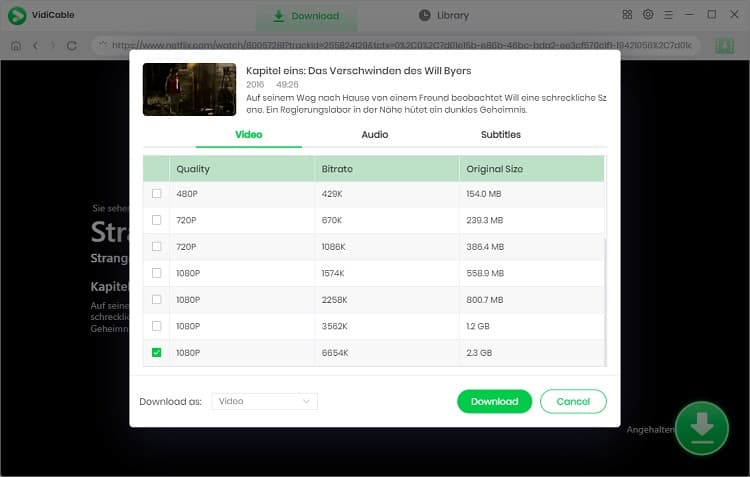
VidiCable is a desktop streaming video downloader that supports downloads from multiple platforms, including YouTube, Netflix, Disney+, and Amazon Prime Video. For YouTube, it supports bulk downloading playlists, up to 8K output, subtitle saving, and audio/video track selection. For DRM-protected YouTube playlists, you can also use the record tool to preserve all the content.
✔️ Preserve multilingual audio tracks
✔️ Batch download YouTube playlists/shorts
✔️ Save subtitles (SRT/VTT)
|
|
❌ Limited output formats
❌ Limited editing features
|
|
My Real Test:
- Test: A YouTube playlist and a YouTube channel
- Parsing: Successfully loaded the playlist and displayed available videos for batch downloading
- Batch behavior: Multiple videos could be selected and downloaded together, with available quality, audio track, and subtitle options
- Main limitation: The software focuses mainly on downloading and provides limited post-download editing tools
It offers many free YouTube bulk download features. However, when I want to do simple post-editing, I have to switch to other tools.
Win/Mac/Linux Auto playlist download Up to 8K
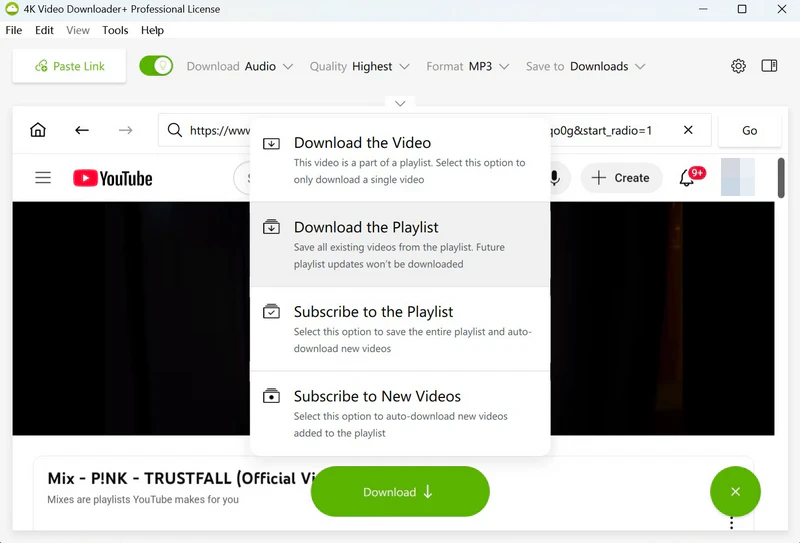
4K Video Downloader is a long-standing desktop video downloader that supports Windows, macOS, and Linux systems. For YouTube, it not only supports downloading full playlists and channels but also offers a subscription download feature (Premium). You can subscribe to a specific channel; whenever that creator uploads a new video, the software will automatically download it.
✔️ Download private YouTube videos and playlists
✔️ Auto-download new videos from playlists & channels
✔️ Download "Watch Later" and "Liked" YouTube videos
|
|
❌ Limited video downloads (up to 10)
❌ YouTube occasionally stops working
❌ The price is slightly high, $45.00/lifetime
|
|
My Real Test:
- Test: A YouTube playlist containing more than 10 videos
- Parsing: Successfully parsed the playlist and displayed the available videos for download
- Batch behavior: Multiple videos could be downloaded together, and the software also supports subscribing to playlists or channels to automatically download newly added videos
- Main limitation: The free version allowed only 10 video downloads per day in our test, which can be restrictive for large playlists
A strong choice for playlist and channel downloads, but the free daily limit makes it less suitable for large batch tasks unless you are willing to pay.
Windows only Multiple-URL batch Advanced format controls Up to 8K
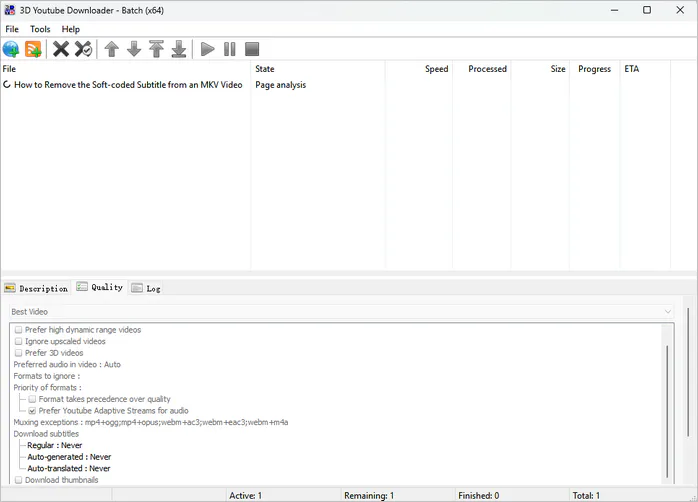
3D YouTube Downloader supports YouTube playlists, 3D videos, 360°/VR videos, and advanced media streaming formats. Unlike many simple downloaders, it places more emphasis on manually controlling download parameters.
✔️ Download and convert video/audio formats
✔️ Support in-app searching of YouTube content
✔️ Download 3D, 360°, VR YouTube videos
|
|
❌ It's not user-friendly for beginners
❌ Only a Windows version is available; no Mac version
|
|
My Real Test:
- Test: Multiple individual YouTube video URLs added in one batch
- Parsing: Successfully recognized and added the individual video links, but could not parse all videos from a YouTube playlist or channel URL
- Batch behavior: Multiple individual video URLs could be queued and processed together after being added manually
- Main limitation: Playlist and channel URLs are not automatically expanded into all contained videos, so you need to prepare the individual video links first. Unregistered accounts cannot download more than 5 videos at a time.
Suitable for users who already have multiple video URLs and want batch processing with advanced format controls, but not ideal for one-click playlist or channel downloads.
Win/Mac Batch queue 24-hour free trial
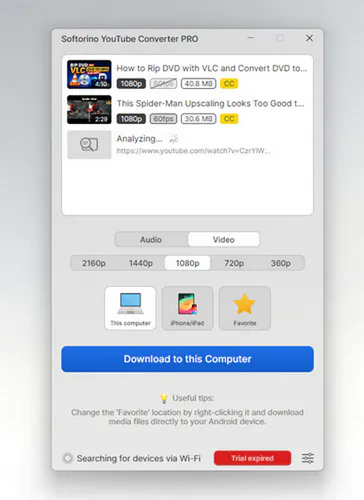
Softorino YouTube Converter (SYC PRO) not only handles batch downloading of YouTube videos but also integrates with the Apple ecosystem. It can send downloaded YouTube content directly to your iPhone, iPad, Apple Music, or Apple TV without needing iTunes.
✔️ Batch add multiple video task queues
✔️ Automatically identify links in the clipboard
✔️ Edit media metadata
|
|
|
❌ Only one day free trial
|
|
My Real Test:
- Test: A YouTube playlist added during the 24-hour free trial
- Parsing: Successfully detected multiple YouTube links and added them to the download queue
- Batch behavior: Multiple videos could be queued for downloading, with options to save them to iPhone, iPad, Apple Music, or Apple TV
- Main limitation: Free access is limited to a 24-hour trial, and the program's main feature is media transfer between Apple devices
A short-term, one-day batch YouTube downloader alternative.
Win/Mac Download & AI tools Up to 8K
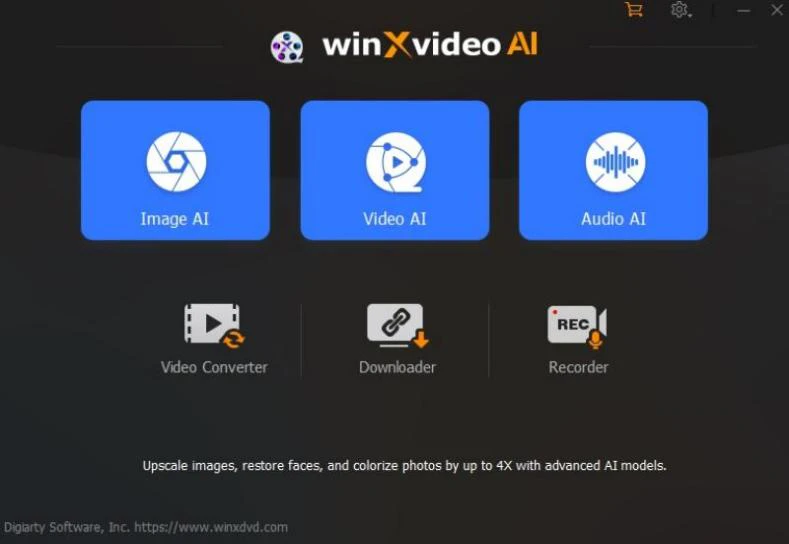
Winxvideo AI is a desktop tool that integrates downloading, transcoding, and AI video enhancement. Downloaded YouTube playlist videos can be enhanced in post-production with improved video quality and stabilization and can also be directly converted to formats in H.264 MP4, MPEG2, and so on.
✔️ Abundant post-editing tools
✔️ Strong GPU acceleration capabilities
✔️ No download-count limit
|
|
❌ Slow YouTube playlist parsing speed
❌ Some features have high hardware requirements
|
|
My Real Test:
- Test: A YouTube playlist containing 4 videos
- Parsing: Successfully parsed the playlist, but the download took nearly 30 minutes
- Batch behavior: The playlist could be added to the download queue and processed together after parsing
- Main limitation: Playlist parsing was relatively slow, and the waiting time increased as the number of videos grew
It less ideal if you want fast playlist parsing.
Command-line Free & open source Advanced automation Learning curve
yt-dlp is a very popular open-source command-line media downloader, a derivative of youtube-dl (which is no longer updated). It's not a traditional "button-click downloader" but rather focuses on automation, bulk processing, and advanced control. It's commonly used by many technical users, developers, and large media archive users for bulk downloading YouTube content.
✔️ Support 1000+ websites, not just YouTube
✔️ Batch processing of hundreds/thousands of videos
✔️ Extract audio file (MP3/M4A/FLAC, etc.)
|
|
❌ Not beginner-friendly
❌ Additional components (FFmpeg) are required
|
|
My Real Test:
- Test: A YouTube playlist containing multiple videos
- Parsing: Successfully detected the playlist and automatically identified the individual videos inside it
- Batch behavior: yt-dlp automatically processed the playlist items in sequence without requiring each video URL to be added manually
- Main limitation: It requires command-line and FFmpeg knowledge
If you're willing to spend the time learning it, using yt-dlp is definitely more beneficial than harmful. However, if you can't learn it, you can use desktop downloaders like Any Video Converter.
Part 3: What Is the Best Batch YouTube Downloader (My Real Test)
The 10 batch YouTube downloaders mentioned above each have their own target users. If you want a balance between batch downloading, video conversion, editing, and ease of use, Any Video Converter can be a practical solution. Unlike tools that only focus on downloading, it combines several common tasks in one workflow: batch download YouTube to MP4/MP3/MKV/FLAC + convert to device-specific formats + compress file size + AI-edit media files.
To give you more flexibility in managing downloaded content, you can freely choose to download/skip content after the playlist links have been parsed. If the video contains multiple audio tracks and subtitles, you can also choose one or all of them. The Any Video Converter team continues to optimize the program to meet the needs of users.
User Experience of Any Video Converter
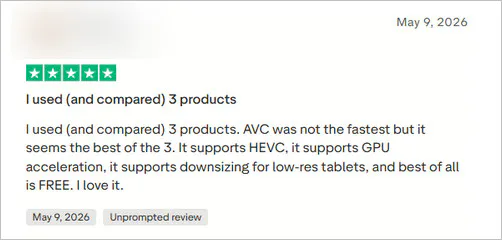
Review 1: "Converting files is a breeze" - ⭐⭐⭐⭐⭐
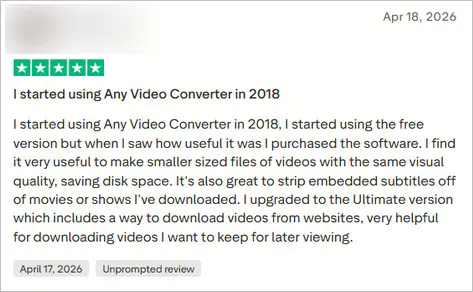
Review 2: "Excellent for downloading videos" - ⭐⭐⭐⭐⭐
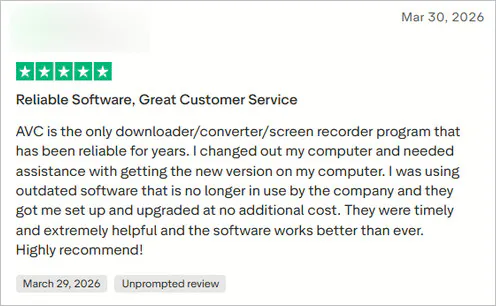
Review 3: "Reliable software, great customer service" - ⭐⭐⭐⭐⭐
How to Batch Download YouTube Content at Once for Free
Step 1 Install and Launch Any Video Converter
Download and install Any Video Converter on your Windows or Mac computer. The download and installation process takes about 1-3 minutes, which is very fast. Then open the "Video Download" tool.
Step 2 Paste a YouTube Playlist or Multiple Video URLs
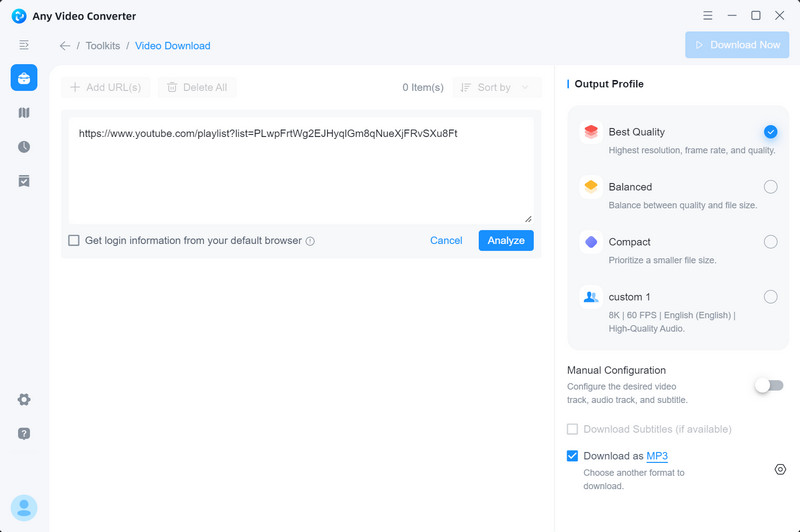
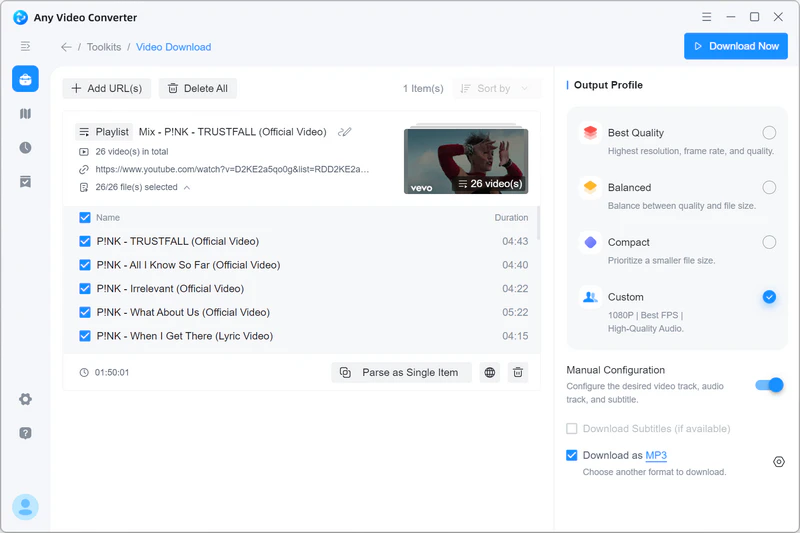
Import video links, playlists, or multiple URLs at once. Here I'll use a YouTube playlist link as a tutorial. Then click "Parse Now" to parse the playlist.
Step 3 Select Output Settings
Clicking "View playlist items" allows you to select or skip individual videos in the list.
Select the video quality you want to download in "Output Profile".
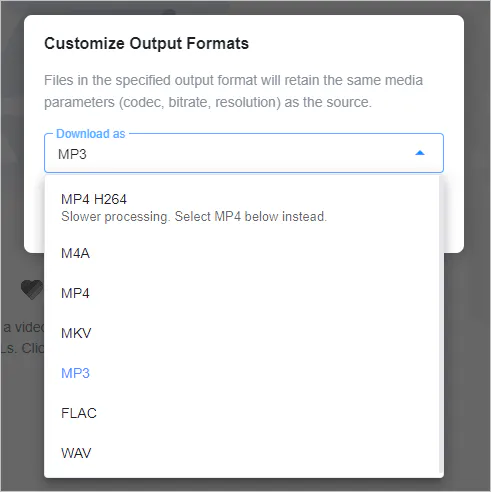
Advanced options allow you to choose up to 8K quality and output format (MP4, MP3, etc). Here I choose to download the YouTube playlist as MP3.
Step 4 Start Batch Downloading
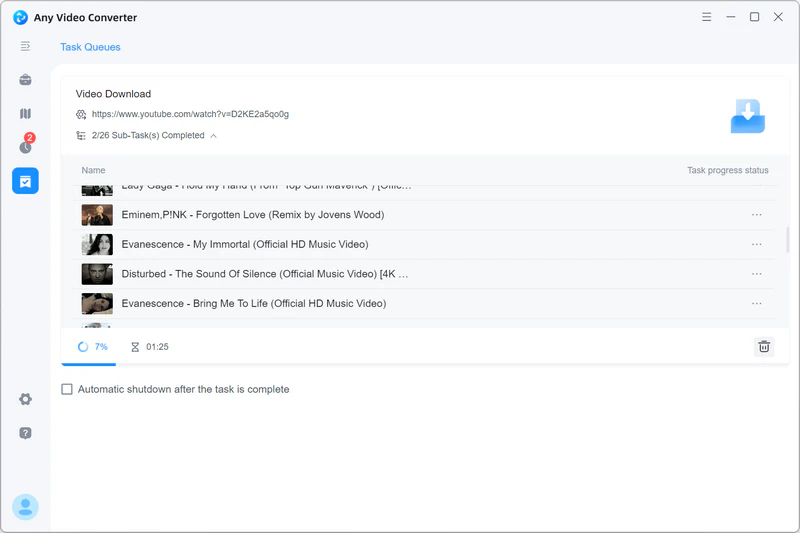
Click "Download Now" to begin downloading all selected videos. The software will queue and process the videos automatically.
Step 5 Edit or Enhance Downloaded Videos
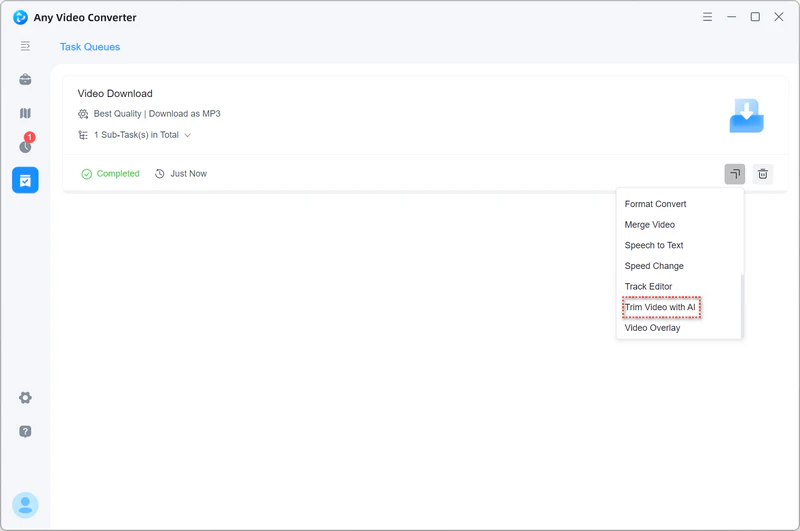
After bulk downloading, you can continue processing the files directly inside Any Video Converter: convert formats + trim clips + compress file size + AI enhance quality.
Part 4: FAQs about Batch YouTube Downloaders
What's a user-friendly way of downloading all videos on a YouTube channel?
Besides yt-dlp, Any Video Converter and eight other tools are very user-friendly. In most cases, you only need to copy the link, and the software will automatically analyze and list all the videos without needing to save them one by one.
- All-in-one batch video downloads and editing workflow - Any Video Converter
- Cloud backup and auto-sync - ypbackup
- Browser-based tools - VidPickr
- If you mainly use Apple devices - Softorino YouTube Converter
Can these batch YouTube downloaders save 4K quality?
Any Video Converter, yt-dlp, 4K Video Downloader, Winxvideo AI, VidiCable, 3D YouTube Downloader, and Softorino YouTube Converter can save 4K quality videos, provided the original YouTube video is in 4K format. YT Multi Downloader, and ypbackup have limitations.
Is it legal to use these batch YouTube downloaders?
It depends on your intended use and the platform's rules. Download only videos you own, content you have permission to save, or content offered under terms that allow downloading. YouTube Premium provides official offline viewing, while downloading other videos with third-party tools may conflict with YouTube's Terms of Service.
Are online batch YouTube downloaders safe?
VidPickr and ypbackup are more secure than YT Multi Downloader. However, the safest way is to use official desktop software like Any Video Converter.
How to save subtitles when downloading YouTube in batches?
Any Video Converter has a dedicated 'Download Subtitles' button, located in the 'Custom' section.
- Step 1: Paste and parse video URLs in the Video Download tool.
- Step 2: In the 'Custom' section on the right, check the 'Download Subtitles' option.
- Step 3: Click 'Download Now' to start downloading videos and subtitles.
How can I download YouTube videos in bulk as MP3 format?
You can use Any Video Converter to parse multiple YouTube videos, playlists, or channels and save the selected content as MP3 in batches.
- Step 1: Paste all the video links you want to download into Any Video Converter's Video Download tool.
- Step 2: In 'Custom', select 'Download as MP3'.
- Step 3: Click 'Download Now' to start downloading YouTube videos in bulk as MP3.
Final Thoughts
In 2026, batch YouTube download tools will be much more than just "downloading videos". The different tools will have distinct focuses: some will be better suited for automatic backups, some will emphasize online downloading via browser, and some will be better suited for the large-scale download needs.
If you want to perform video processing in addition to downloading, then Any Video Converter is worth considering. After all, its "one-stop workflow" integrates audio extraction, intelligent compression, AI trimming, and video to text conversion. In other words, you can complete "download → convert → edit → export" within a single software application.

Besty Smith | Content Writer
Besty Smith is a talented and insightful content creator with a keen interest and
passion for software programs. She focuses on in-depth research and hands-on experience with various
types of software, providing readers with in-depth and inspiring content through precise writing. With
her keen insight into the software industry, Besty is committed to helping readers keep abreast of the
latest industry trends so that they can stay competitive in the digital age.