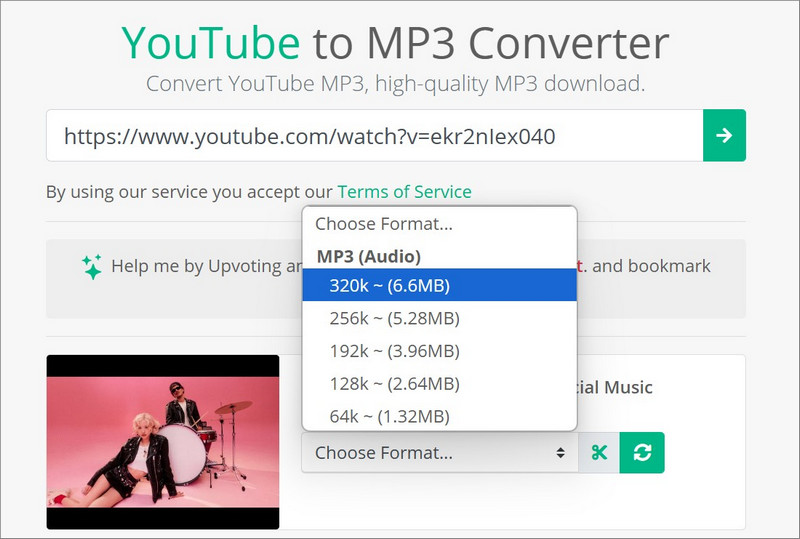
Quick Answer: Are YouTube to MP3 Sites Safe?
The safety of YouTube to MP3 sites varies. Some sites provide a relatively clean conversion experience, while others display aggressive ads, repeated redirects, and misleading download buttons, etc. An ad-free interface and no redirects can reduce exposure to these risks, but does not mean a site is absolutely or permanently safe.
In my latest test, I mainly conducted the checks on seven YouTube to MP3 sites for their ads, pop-ups, redirects, notification requests, fake download buttons, unexpected installers, downloaded file types, and audio quality. Of these, CnMP3 presented an ad-free experience, with no redirects, pop-ups, or unexpected installation prompts occurring during my test in September 2026. Note that these findings only apply to the sites that passed my tests and test period because online services can change over time.
For occasional single YouTube to MP3 conversion, a site that passed my latest test can be convenient. But this does not mean this site remains safe permenantly. So always stay cautious - verify the exact domain in advance and avoid any download that is not the audio file you requested.
Editor's note
For frequent YouTube to MP3 conversions, playlists, long-form videos, or multiple URLs, a reputable desktop media downloader such as Any Video Converter may provide a more controlled and reliable workflow without ads and third-party redirecting pages.
Should You Choose 320 kbps When Converting YouTube to MP3?
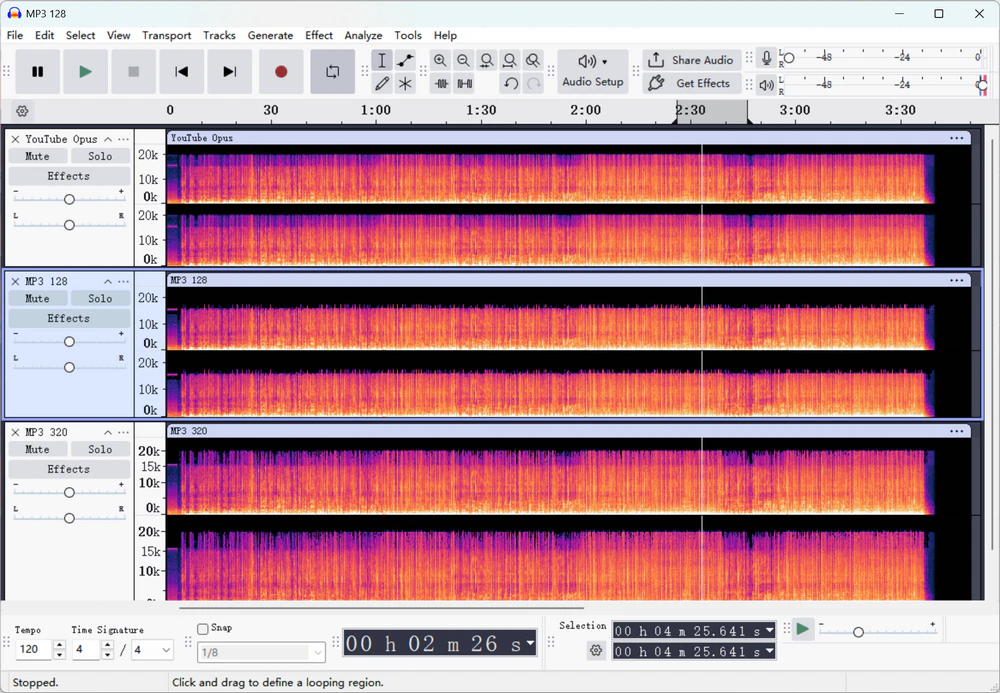
To check whether a higher MP3 setting (320 kbps) makes a difference, I compared the best available audio stream from the same YouTube video with MP3 files created using an online converter's 128 kbps and 320 kbps options.
The 128 kbps option showed a clear high-frequency cutoff near 16 kHz, while the 320 kbps option retained a frequency range closer to the available YouTube source stream. The 320 kbps option did not create audio detail beyond the source, but it introduced less additional loss than 128 kbps during MP3 conversion.
If file size is not a concern, you can choose the higher MP3 setting to preserve more of the available source audio. However, a 320 kbps option does not mean that YouTube provides native 320 kbps audio, and it is also not true 320 kbps quality.
| Test Sample |
Codec / Selected Setting |
Measured Average Bitrate |
Total File Size |
Spectrogram Result |
Interpretation |
| Best available YouTube audio stream |
Opus / Best available |
Approx. 128 kbps |
3.52 MiB |
Frequency content extends to around 20 kHz |
Best source stream detected in this test |
| Online converter output |
MP3 / 128 kbps option |
Approx. 151.4 kbps |
4.61 MiB |
Cutoff near 16 kHz |
Additional high-frequency loss after conversion |
| Desktop converter output |
MP3 / 320 kbps option |
Approx. 249.9 kbps |
7.32 MiB |
Frequency range remains close to the Opus source |
Closer to source; not native 320 kbps |
Decision Table: Overview of Tested YouTube to MP3 Sites
| YouTube to MP3 Site |
Best for |
Download Success |
Safety Test Summary |
Audio Options |
Main Limitation |
| CnMP3 |
Clean, quick YouTube to MP3 conversion |
5/5 |
No ads, pop-ups, or redirects observed |
MP3; displayed options up to 320 kbps |
MP3 conversion limited to videos up to 1.5 hours |
| YTMP3 |
Fast YouTube to MP3 conversion |
5/5 |
No ads, 1 redirect, and ask to allow notification request |
No quality selector; measured outputs are at 192 kbps |
MP3 conversion limited to videos up to 4 hours |
| GreenConvert |
YouTube to MP3 with trim |
3/5 |
No ads, pop-ups, or redirects observed |
MP3; displayed options up to 320 kbps |
Frequent downloads might be forbidden |
| OnlyMP3 |
Convert long YouTube videos to MP3 online |
5/5 |
No ads, pop-ups, or redirects observed |
No quality selector; measured output ranged from 116 to 129 kbps |
A bit lower audio quality |
| OGMP3 |
Trim after YouTube to MP3 conversion |
5/5 |
No ads, pop-ups, or redirects observed |
MP3; displayed options up to 320 kbps |
Slower download speed, especially for the long video |
| SaveMP3 |
Faster YouTube to MP3 with trim |
5/5 |
No ads or redirects; one extension prompt and a notification request observed |
No quality selector; measured outputs are at 128 kbps |
Only 3 free downloads per hour; Incognito browsing is not allowed |
Best Alternative: If YouTube to MP3 Sites Are Not Enough
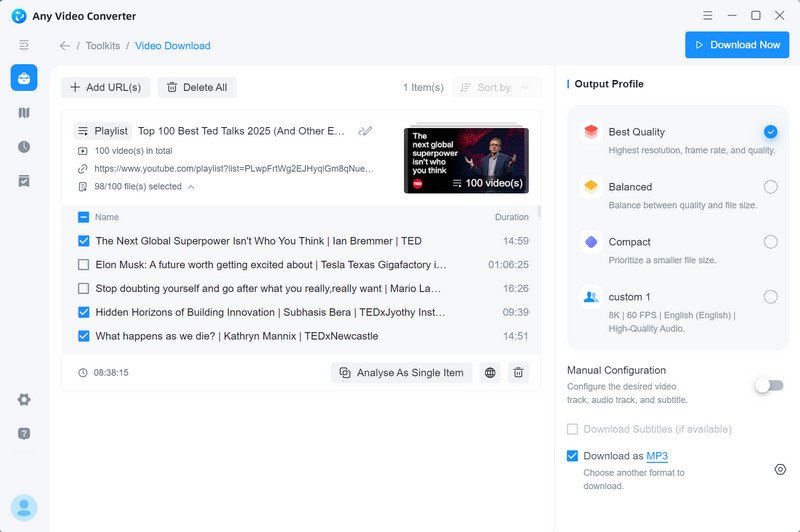
After a glance at these tested YouTube to MP3 sites, if you find none are enough for your needs and you prefer safer and sounder options, a reputable desktop application may be more practical. This is especially true when extracting audio from long videos, processing large playlists, or downloading from multiple URLs at once. Any Video Converter provides powerful batch processing and playlist controls, all in a clean, safe, and manageable workflow.
Best available audio extraction. Extract the highest-quality audio stream available from YouTube and YouTube Music.
Advanced playlist and batch controls. Parse an entire playlist, expand it to manage individual items, select only the tracks you want, process multiple URLs at once, or track a playlist or channel for newly added videos.
Flexible download modes and presets. Use ready-made quality presets such as Best, Balanced, and Compact, or customize the output format, audio quality, file name, and other advanced settings.
Automatic file renaming. Create custom naming rules using the available fields to keep downloaded files consistently organized.
Better choice for long-form downloads. Unlike many YouTube to MP3 sites with duration limits, Any Video Converter can process longer supported videos without a daily download quota.
Trim after YouTube to MP3 conversion. You can trim the converted audio, or do more edits, such as transcribing it to text, removing vocals or instrumentals, merging audio, and more.
Video Tutorial: Official & Safest Ways to Download Music from YouTube to MP3 (2026)
Detailed Reviews: 6 YouTube to MP3 Sites That Passed My Latest Retest
To verify that these seven YouTube sites tested before are still working, with a clean and ad-free experience, I conducted a new and more detailed test in September 2026. Finally, six of them passed this round. The seventh site, MP3ify, was excluded because it did not complete the required download tests reliably (sign-in required).
1. CnvMP3
Based on my testing, CnvMP3 still offers an ad-free and clean experience. No ads, redirects, pop-ups, unexpected installers, or non-audio downloads were observed during this test. Unlike many ad-supported alternatives, it appears to operate on donations. Read my detailed review of CnvMP3, covering both the security checks and real-world performance.
| Test Item |
Result |
| Exact Domain |
https://cnvmp3.com/ |
| Test Date |
September 3, 2026 |
| URLs Converted |
5/5 |
| Downloaded File |
Playable and complete |
| Output Options |
MP3 up to 320 kbps |
| Pop-ups / Ads |
None observed |
| Redirects |
None observed |
| Fake Download Buttons |
None observed |
| Notification Requests |
No |
| Unexpected Installer |
No |
| Login Required |
No |
| Long Video Test |
The video longer than 1.5 hours can not be downloaded |
| Main Failure |
Videos longer than 1.5 hours were not supported in this test |
How to Convert YouTube to MP3 with CnvMP3
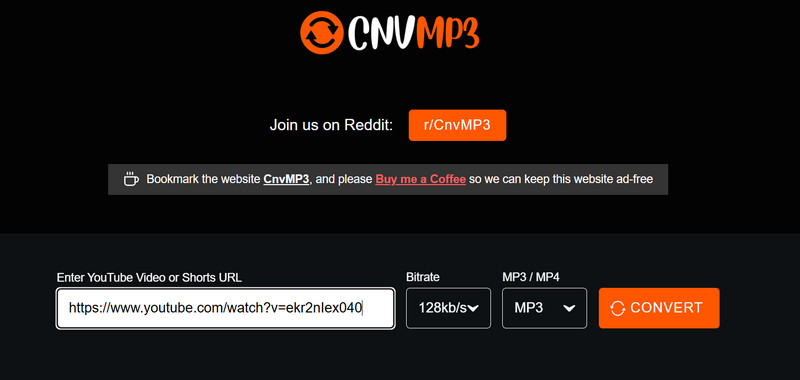
- Go to the official website of CnvMP3: https://cnvmp3.com.
- Paste the URL into the search box.
- Choose MP3 and the bitrate.
- Click the "CONVERT" button to start the conversion.
2. YTMP3
During this test, I found that YTMP3 had moved from ytmp3.sc to ytmp3.gl. Visiting the old domain automatically redirected me to the new one. The new site retained an ad-free interface, but I encountered one redirect for each download.
 5 Things You Must Know about YTMP3 >>
| Test Item |
Result |
| Exact Domain |
https://ytmp3.gl/ |
| Test Date |
September 3, 2026 |
| URLs Converted |
5/5 standard-video passed; 3-hour test failed |
| Downloaded File |
Playable and complete |
| Output Options |
MP3, no quality options |
| Output Quality |
192 kbps |
| Pop-ups / Ads |
None observed |
| Redirects |
1 redirect when every time I clicked the download button |
| Fake Download Buttons |
None observed |
| Notification Requests |
Yes |
| Unexpected Installer |
No |
| Login Required |
No |
| Long Video Test |
Returned to an error when I added a 3-hour video and asked me to use TubeAPI, but it was useless |
| Main Failure |
Slow parsing for long video |
How to Convert YouTube to MP3 with YTMP3
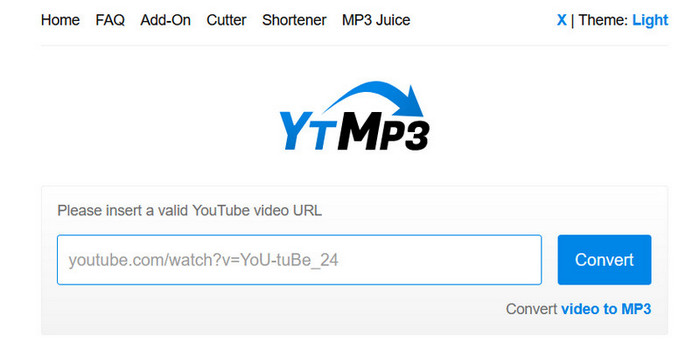
- Go to the current domain of YTMP3 (ytmp3.gl).
- Copy the URL of a YouTube video and paste it into the search box.
- Click Convert MP3 to start parsing this video.
- Click the Download button to start converting. Close the redirected tab immediately after you click the download button.
3. GreenConvert
The first time I used GreenConvert, it looked clean and ad-free but redirected me after I clicked Convert. The redirects disappeared in the second round. In my latest test, GreenConvert remains free of ads, redirects, and misleading download buttons, but its download success rate was lower than that of the others tested, possibly due to the frequent download requests being restricted.
| Test Item |
Result |
| Exact Domain |
https://greenconvert.ai/web/conv/mp3 |
| Test Date |
September 4, 2026 |
| URLs Converted |
3/5 (under incognito mode and page refresh) |
| Downloaded File |
Playable and complete |
| Output Options |
MP3 up to 320 kbps |
| Pop-ups / Ads |
None observed |
| Redirects |
None observed |
| Fake Download Buttons |
None observed |
| Notification Requests |
No |
| Unexpected Installer |
No |
| Login Required |
No |
| Long Video Test |
Videos longer than 2 hours could be analyzed, but downloads often failed with a network error, even after retrying |
| Main Failure |
Further downloads may be forbidden. Using incognito mode or refreshing the page can work. A bit slower to analyze and download videos than CnvMP3 and YTMP3. |
How to Convert YouTube to MP3 with GreenConvert
- Visit the official domain of GreenConvert: https://greenconvert.ai/web/conv/mp3.
- Paste the URL of a YouTube video, and the analysis begins automatically.
- Choose the audio quality or click the scissors icon to trim.
- Click the green convert icon and wait a few seconds.
- Click DOWNLOAD NOW to save the converted audio to your device.
4. OnlyMP3
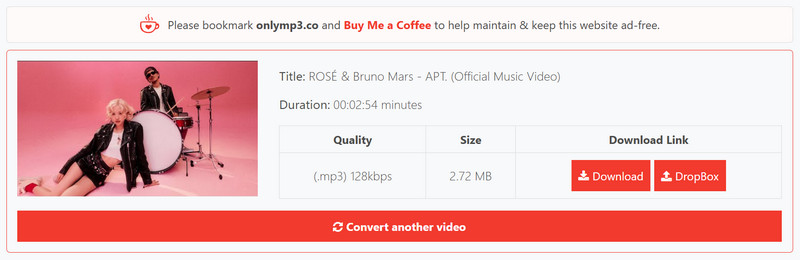
In my testing, OnlyMP3 was one of the cleaner, simpler, and more reliable YouTube to MP3 sites. The interface is ad-free, and the site presents itself as using SSL and WAF protections (according to the site), which makes the overall experience feel safer than many ad-heavy alternatives. Most importantly, it successfully converted all my long-form test videos, ranging from one to four hours, without any failures.
The Truth About Onlymp3 Downloads and Limits >>
| Test Item |
Result |
| Exact Domain |
https://en.onlymp3.cx/ |
| Test Date |
September 4, 2026 |
| URLs Converted |
5/5 |
| Downloaded File |
Playable and complete |
| Output Options |
MP3, no quality options |
| Output Quality |
Variable, 116 -129 kbps |
| Pop-ups / Ads |
None observed |
| Redirects |
None observed |
| Fake Download Buttons |
None observed |
| Notification Requests |
No |
| Unexpected Installer |
No |
| Login Required |
No |
| Long Video Test |
Yes, all long-form videos passed |
| Main Failure |
None observed |
How to Convert YouTube to MP3 with OnlyMP3
- Go to the site of OnlyMP3: https://en.onlymp3.cx/.
- Copy the URL of the YouTube video and paste it into the box.
- Click Convert MP3 to start processing.
- Click DOWNLOAD NOW to save the converted audio to your device or Dropbox.
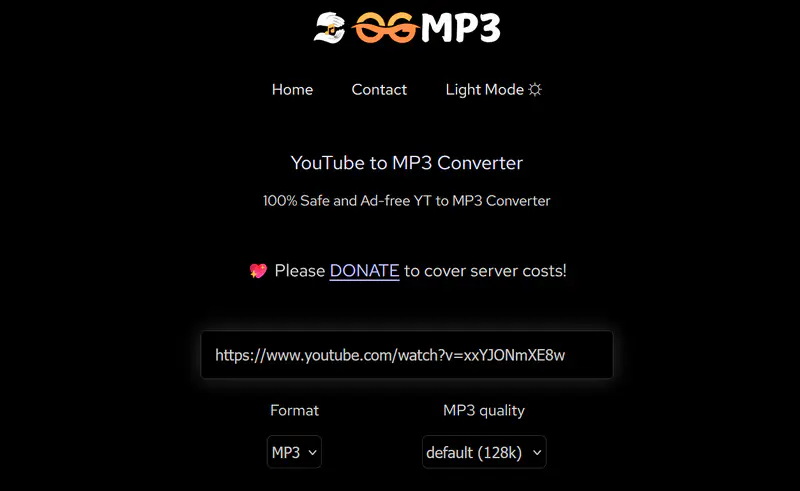
5. OGMP3
Like CnvMP3, OGMP3 is a donation-based and ad-free YouTube to MP3 site. During testing, I did not encounter any redirects when clicking the download button. It also successfully converted a 4-hour video to MP3, and the whole process took about 5 minutes, which is fairly reasonable for an online tool.
What Can OGMP3 Do as YouTube to MP3 Converter? >>
| Test Item |
Result |
| Exact Domain |
https://ogmp3.com/ |
| Test Date |
September 4, 2026 |
| URLs Converted |
5/5 |
| Downloaded File |
Playable and complete |
| Output Options |
MP3 up to 320 kbps |
| Pop-ups / Ads |
None observed |
| Redirects |
None observed |
| Fake Download Buttons |
None observed |
| Notification Requests |
No |
| Unexpected Installer |
No |
| Login Required |
No |
| Long Video Test |
Yes, all long-form videos passed |
| Main Failure |
Slower conversion for long videos |
How to Convert YouTube to MP3 with OGMP3
- Open the official site of OGMP3: https://ogmp3.com/.
- Paste the URL, then choose the output format and quality.
- Click the Download button and wait for the YouTube-to-MP3 conversion to complete.
6. SaveMP3
Like GreenConvert, SaveMP3 allows users to trim before converting. By comparison, OGMP3 and MP3ify only offer trimming after conversion. SaveMP3 has a clean, ad-free interface and did not redirect me when I started a download. However, it displayed a pop-up prompting me to install its browser extension. The site also limits users to three downloads per hour, claiming that installing the extension can remove this restriction.
SaveMP3 Real Test >>
| Test Item |
Result |
| Exact Domain |
https://savemp3.net/ |
| Test Date |
September 4, 2026 |
| URLs Converted |
5/5 |
| Downloaded File |
Playable and complete |
| Output Options |
MP3, no quality options |
| Output Quality |
128 kbps |
| Pop-ups / Ads |
1 pop-up to promote its extension |
| Redirects |
None observed |
| Fake Download Buttons |
None observed |
| Notification Requests |
Yes |
| Unexpected Installer |
No |
| Login Required |
No |
| Long Video Test |
Yes, all long-form videos passed |
| Main Failure |
None observed |
How to Convert YouTube to MP3 with SaveMP3
- Visit SaveMP3 on your desktop or mobile phone: https://savemp3.net/.
- Paste the URL, and the video analysis starts automatically.
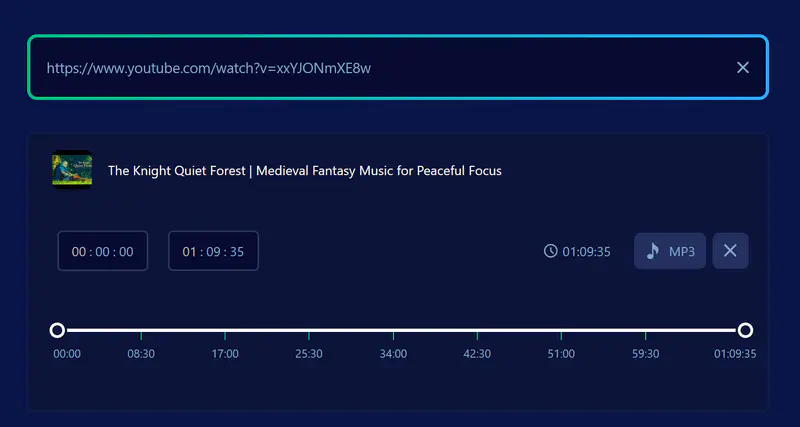
- Click the scissor icon to trim the unwanted part before downloading, or click MP3 to download directly.
FAQs about YouTube to MP3 Download Sites
Are YouTube to MP3 sites safe?
The safety of the different YouTube to MP3 sites varies. Some sites are free of ads, redirections, fake buttons, and notification requests, but others may not be. However, a clean interface and being free of visible potential risks do not mean this site is safe. If you want to avoid these common or even the unnoticeable risks, you can use the desktop version of YouTube to MP3 converters.
Will my converted MP3 file contain viruses or malware?
Generally, a well-converted MP3 file from YouTube to MP3 sites is lower risk than an executable file, but no download should be assumed safe based on its extension alone. Verify that the file is the requested .mp3, scan it with trusted security software when appropriate, and immediately delete unexpected EXE, DMG, ZIP, or browser-extension downloads.
Is it legal to download YouTube to MP3?
It is not legal to download YouTube videos or audio to MP3 without the permission of the copyright owner, as it violates YouTube's terms of service and copyright law. Just download the content you own and are permitted to download.
Does 320 kbps offered by YouTube to MP3 sites mean true 320 kbps quality?
Not necessarily. A 320 kbps output option provided in both YouTube to MP3 sites and desktop software does not mean the YouTube source is in native 320 kbps audio. In my test, the best available YouTube audio stream was approximately 128 kbps. So selecting 320 kbps produced a larger MP3 and introduced less additional loss than the 128 kbps conversion, but it could not create detail beyond the source.
Why do YouTube to MP3 converter sites change domains frequently?
The domains of YouTube to MP3 sites can often change, possibly due to hosting, policy, legal, advertising, or availability issues. If you find that a domain of a YouTube to MP3 site that you always use is redirected to a new one, just treat it as a new site and check the safety concerns again.
Can YouTube to MP3 sites support playlists?
Most online services focus on single video or audio downloads, even though they can successfully parse a playlist, only to click through one by one to download individually. For full parsing, selection, and batch downloading, a desktop downloader like Any Video Converter is your foremost choice.
What if a YouTube to MP3 site opens another tab?
Don't hesitate to close any unexpected or unrelated tabs immediately. These kinds of tabs may result from malicious redirects, deceptive ads, or unsafe scripts. None of them are absolutely safe, so do not take risks.
Conclusion
Safety is the most important thing you need to take into consideration when choosing a YouTube to MP3 site, and then it's audio quality, conversion speed, and other download capabilities. After several rounds of testing, I made this list of YouTube to MP3 sites for your reference to help you avoid the risks as much as possible.
If you find that YouTube to MP3 sites can't meet your heavy conversion needs, try Any Video Converter for batch processing, smart playlist controls, advanced output settings, and task status.

Charlie Campbell | Content Writer
Charlie Campbell is an experienced technical documentation writer with a background in software development and a passion for emerging AI technologies. Dedicated to helping readers stay ahead in the fast-paced digital landscape, he combines technical expertise with clear communication to simplify complex topics and keep audiences informed on the latest advancements.